Finding a live session on TikTok can feel different from finding a regular video. A video waits. A live room does not. It may begin while the viewer is busy, peak before they notice, and disappear from attention before they open the app. That is why TikTok live stream alerts matter for viewers who do not want to miss creators, sellers, performers, or communities they already follow.
But alerts are not the only way people discover live content. TikTok also has feeds, recommendations, following behavior, profile visits, and live discovery surfaces that can bring viewers into active broadcasts. The real question is not only whether alerts work. It is whether alerts are better than simply checking the Following or LIVE feed.
For Discover Livestream Sound of Text, this topic belongs in the Alerts category because it compares two discovery habits: being notified when a live starts, or finding live rooms through the app while browsing. Both can work, but they serve different viewer needs.
Alerts And Feeds Solve Different Discovery Problems
A live alert is useful when the viewer already knows who they want to watch. The Following or LIVE feed is better when the viewer is open to discovering something new.
That difference matters. Someone waiting for a favorite creator’s weekly live may need a notification. Someone browsing casually after dinner may prefer the feed. A buyer watching live shopping events may need alerts from specific sellers. A viewer exploring gaming, music, or learning livestreams may find more variety through recommendations.
TikTok’s own help page says users can manage push notifications from Profile, Settings and privacy, then Notifications. TikTok also lets users set a push notification schedule to mute alerts during selected times.
TikTok Live Stream Alerts Work Best For Creators You Already Trust
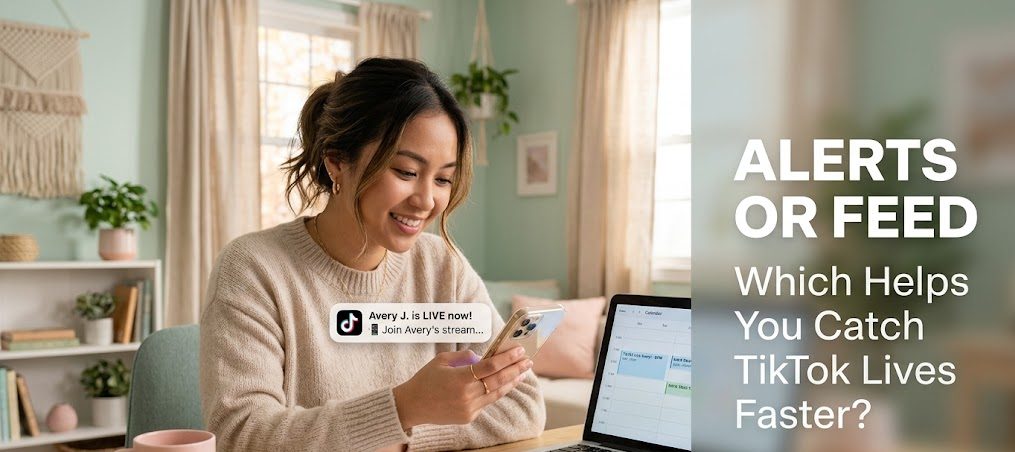
Alerts are strongest when the viewer already has a reason to return. They are not mainly for random discovery. They are for keeping a connection alive.
Alerts Protect Viewers From Missing Time-Sensitive Lives
Some live sessions only matter while they are happening. A creator may answer questions, a seller may launch a limited offer, a musician may perform casually, or a community may gather for a short event.
In those cases, checking the feed later is not enough. The live moment may already be gone.
TikTok live stream alerts help because they move the event toward the viewer instead of making the viewer search for it. That is especially useful for:
- creator Q&A sessions
- flash sales or live shopping rooms
- music performances
- gaming livestreams
- community chats
- limited-time announcements
- learning sessions
- creator milestones
The viewer does not need to keep opening the app just to check whether someone is live.
Alerts Can Become Too Noisy Without Control
The problem with alerts is that they can become tiring. If a viewer follows many active creators, live notifications may start to feel less useful and more like interruption.
This is why notification control matters. TikTok’s support page about muting explains that users can mute push notifications from a person’s profile and choose None to mute notifications for posts or LIVE videos. It also notes that if post notifications for all followed accounts were turned off in privacy settings, individual notification settings cannot be managed separately.
For viewers, this means alerts should be treated like a priority list. Not every followed account deserves the same level of attention.
The Best Alert List Is Smaller Than The Follow List
Following someone does not always mean wanting every live notification from them. A viewer may enjoy a creator’s short videos but not their live sessions. Another creator may be worth watching live but not worth checking daily.
A smarter alert habit is to separate creators into three groups:
- Creators whose live sessions are worth immediate alerts.
- Creators to check casually through the feed.
- Creators to mute because their lives interrupt more than help.
This makes TikTok live stream alerts more useful because the viewer receives fewer but better signals.
The Following Feed Works Better For Casual Discovery
The Following feed is useful when the viewer does not need an instant reminder. It is more relaxed than alerts and less demanding than push notifications.
Browsing Gives Viewers More Control Over Timing
An alert interrupts the viewer’s day. The feed waits until the viewer opens the app.
That can be better for casual live discovery. A viewer may not want TikTok deciding when to pull their attention, especially during work, school, rest, or sleep. By opening the Following feed manually, the viewer chooses when to browse.
This works well for viewers who enjoy live content but do not need to catch every session in real time.
The Feed Can Reveal Active Creators Without Notification Pressure
A viewer may open TikTok and notice that someone they follow is live. This is less urgent than a push alert, but it can still be useful.
The feed discovery style is better when:
- the live session is not time-sensitive
- the viewer follows many creators
- the viewer wants fewer interruptions
- the viewer enjoys casual browsing
- the live room is optional entertainment
This method is quieter. It may miss some lives, but it protects the viewer from constant alerts.
The LIVE Feed Is Better For Finding New Rooms
Alerts and the Following feed mostly depend on existing connections. The LIVE feed is different because it can introduce viewers to live rooms they did not already plan to watch.
TikTok says recommendation feeds such as For You, Following, Friends, and LIVE remain unique to each person because everyone has different preferences and signals.
That means the LIVE feed can become a discovery tool. It may show creators, sellers, performers, or topics based on what the platform thinks the viewer may like.
The Real Comparison Comes Down To Viewer Intent
The best choice depends on what the viewer wants from TikTok Live.
| Discovery Method | Best For | Main Risk |
|---|---|---|
| TikTok live stream alerts | Favorite creators, time-sensitive lives, events worth catching immediately | Too many interruptions |
| Following feed | Casual checking from creators already followed | Easy to miss short live sessions |
| LIVE feed | Discovering new rooms and unfamiliar creators | Recommendations may feel random or distracting |
| Profile checking | Very specific creator monitoring | Requires manual effort |
| External calendar reminder | Planned events outside TikTok habits | Needs manual setup |
This comparison shows that alerts are not always better. They are better for priority. Feeds are better for browsing. The LIVE feed is better for discovery.
Alerts Are Stronger For Shopping, Learning, And Community Lives
Some live categories benefit from alerts more than others. The more time-sensitive the live room is, the more useful alerts become.
Live Shopping Often Depends On Timing
Live shopping sessions may include limited stock, live-only offers, product demos, or seller Q&A. A viewer who arrives late may miss the product explanation or the best offer window.
For this kind of content, alerts can be useful if the viewer trusts the seller.
But not every shopping live deserves alerts. Too many sales notifications can become tiring quickly. Viewers should only keep alerts for sellers whose products, schedule, and offers are genuinely relevant.
Learning Lives Work Better When Viewers Join From The Start
A learning livestream is easier to follow from the beginning. If the viewer enters halfway through, they may miss the setup, context, or first explanation.
Alerts help viewers join early, especially for:
- short tutorials
- language practice sessions
- skill workshops
- study rooms
- creator coaching sessions
- live explanations
The alert is not only a reminder. It helps protect the learning flow.
Community Lives Feel Better When Viewers Arrive On Time
Community livestreams are often built around shared presence. Regular viewers may greet each other, continue earlier conversations, or join recurring sessions.
Alerts help viewers stay connected to that rhythm. They are useful when the value of the live room is not only content, but also familiarity.
The Following Feed Is Better For Low-Commitment Viewing
Not every live session needs urgency. Some live rooms are pleasant but not essential.
A viewer may enjoy:
- casual creator chats
- background music rooms
- cozy gaming sessions
- slow cooking lives
- relaxing art streams
- general entertainment lives
For these, the Following or LIVE feed may be enough. The viewer can enter when they are already available instead of being pulled away from another activity.
This matters because live content can easily become too demanding. If every creator gets alert permission, the viewer’s day becomes full of tiny interruptions.
A Cleaner Alert Strategy For TikTok Viewers
A better TikTok Live discovery habit uses both alerts and feeds, but not for the same purpose.
Use alerts for creators or events that are worth immediate attention. Use the Following feed for casual checking. Use the LIVE feed when the goal is discovery. Mute alerts when they stop being useful.
This approach keeps TikTok live stream alerts from becoming noise. The viewer does not need to choose between missing everything and being interrupted by everything.
The Better Choice Is Not One Method
TikTok Live discovery works best when viewers understand the difference between urgency and curiosity. Alerts solve urgency. Feeds serve curiosity. The LIVE feed adds discovery.
A viewer who wants to catch a favorite creator should use alerts carefully. A viewer who only wants something interesting to watch can rely on the feed. A viewer who wants new creators should explore the LIVE surface instead of waiting for notifications.
The strongest habit is not turning every alert on. It is choosing which live moments deserve to reach you first.

Bùi Quang Huy spent six years working in content operations for a regional video platform, where he organized channel directories, improved content tags, and monitored recommendation quality. He understands how search terms, categories, hashtags, alerts, and viewing history affect what users find online. His guides help readers discover relevant livestreams without endlessly scrolling through crowded platform homepages.



1 comment
Comments are closed.