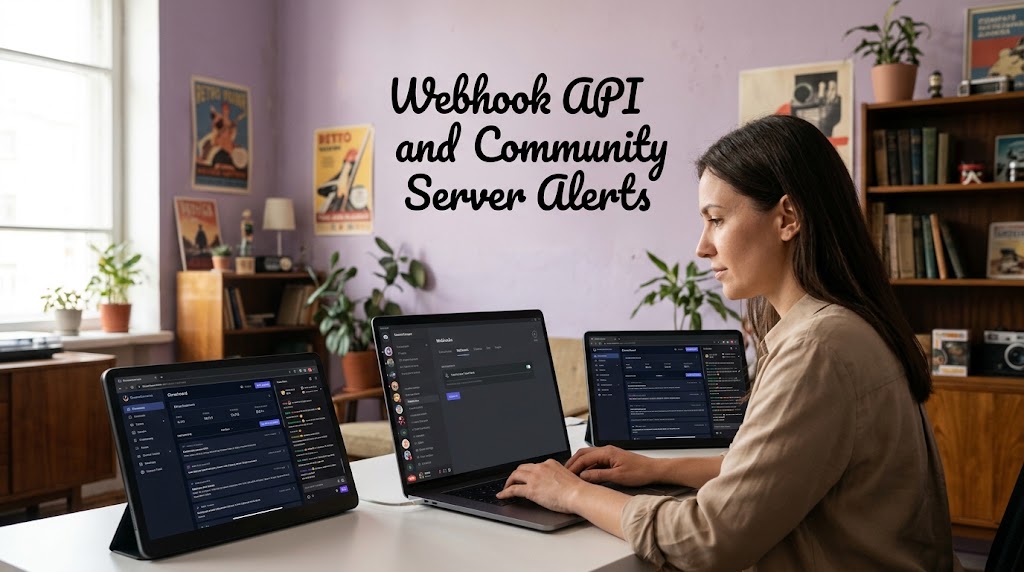
The modern viewer can hear a notification, glance at the screen, and mentally swipe it away before even reading it. That is alert blindness, and it creates a nasty problem for creators because stream notification alerts can become background noise when every message feels equally urgent. The smarter solution is not to shout louder, but to design a notification system that sends fewer, more relevant alerts through a community channel people actually care about.
1. Notification Decay Makes Ordinary Stream Alerts Easy to Ignore
Notification decay is not just a catchy phrase for people becoming tired of their phones. Research into repeated electronic alerts has found declining response rates over time, while broader research shows that even a notification itself can interrupt attention without the user actively opening the device.
Why More Alerts Can Produce Fewer Viewers
A creator may assume that sending an alert every time something happens keeps the community engaged. In practice, excessive interruptions can train people to dismiss the next notification automatically, especially when previous alerts were rarely important.
That creates a simple equation:
More irrelevant alerts → less attention → weaker response → notification fatigue.
The problem becomes worse when a server mixes live announcements with chat messages, memes, promotions, giveaways, and routine updates. Discord therefore gives users granular notification controls, including All Messages, @mentions, Nothing, and channel-specific overrides.
The Better Rule Is Event-Based Notification Design
Instead of notifying everyone about everything, define which events deserve an interruption. A creator might reserve the main alert for going live, while schedule changes, clips, and casual updates remain inside normal channels.
A practical hierarchy looks like this:
- Live now for the highest priority.
- Major event for launches, tournaments, or special streams.
- Schedule reminder only when genuinely useful.
- Regular content without a push interruption.
This approach treats attention as a limited resource rather than an unlimited freebie.
2. Webhook API Design Can Automate Discord Community Servers Without Fighting User Settings
Discord webhooks are useful because they let external applications send messages into a Discord channel without requiring a conventional bot user. The official API supports incoming webhooks and provides an allowed_mentions system that controls which mentions are actually parsed.
A Webhook Is a Delivery Pipe, Not a Notification Bypass
This distinction matters because the original “Webhook Bypass” idea is technically misleading. A webhook can automate the arrival of a message, but it cannot guarantee that every member will see a lock-screen push notification because users can mute servers, suppress @everyone, disable mobile pushes, or change channel-specific notification settings.
So the useful architecture is:
Streaming event → webhook → dedicated alert channel → permitted mention → user’s Discord notification settings.
That is automation, not a bypass.
Use @everyone Carefully and Prefer Relevant Roles
Discord explicitly allows servers to control who can mention @everyone, @here, and roles, and its own safety guidance recommends limiting those permissions to trusted roles because mass mentions can be abused.
For a healthy streaming community, a better setup is often a role such as Live Alerts rather than pinging every member. People who genuinely want stream notifications opt into that role, while everyone else can enjoy the server without being repeatedly interrupted.
Build a Dedicated Alert Channel
Don’t dump automated notifications into the main conversation. Give the webhook its own channel with a predictable format, such as:
- 🔴 LIVE NOW
- Stream title
- Category
- Short reason to join
- Direct watch button or link
- Optional thumbnail
This format also makes the notification useful after the initial push disappears from the screen.
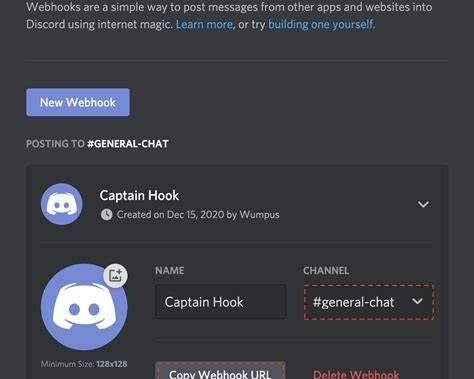
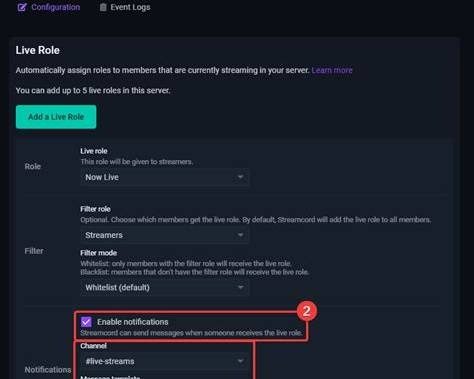
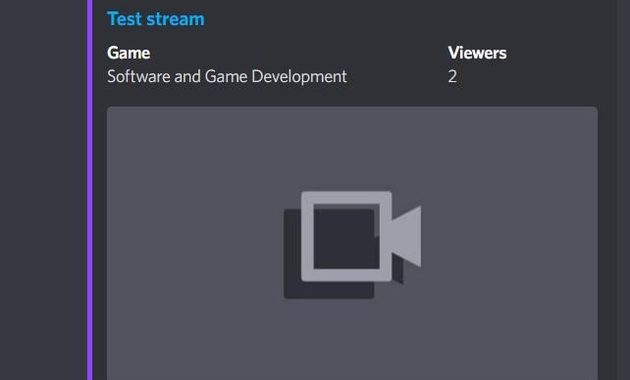
A real-world example is how streaming notification tools can post a structured Discord embed when a creator goes live, complete with the stream title, category, viewer information, and a direct Watch Stream action.
3. Push Alert Blindness Is Reduced by Relevance, Timing, and Permission
Push alert blindness is best treated as an attention-design problem rather than a technical failure. Discord’s own notification system already acknowledges that users need control, including the ability to receive only mentions, suppress @everyone and @here, or disable mobile push notifications entirely.
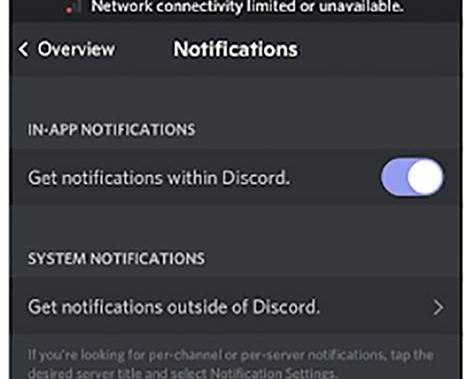
The strongest system therefore gives viewers a reason to keep notifications enabled.
Make the Alert Worth Interrupting Someone
“Streamer is live” is functional but weak. A stronger message tells the viewer what they will actually get by opening the stream.
For example:
🔴 LIVE NOW
Building a React dashboard from scratch.
Live debugging starts now.
The second version contains a reason to click, not merely a status update.
Timing Can Matter More Than Frequency
A notification sent three hours before a stream may be forgotten, while one sent immediately after the broadcast begins can capture genuine intent. For scheduled events, one reminder may be useful, but repeatedly pushing the same event can accelerate notification decay.
The goal is not maximum notification volume. It is maximum useful attention per notification.
Measure the System Like a Funnel
Don’t judge the setup simply because the webhook successfully posts a message. Measure whether the notification produces meaningful behavior.
Track:
- Notification delivery.
- Click-through to the stream.
- Viewers arriving shortly after the alert.
- Average watch duration.
- Returning viewers.
- Opt-outs from the alert role.
If clicks fall while notification volume rises, the system is probably shouting itself into irrelevance.
For creators comparing different platforms, it can also be useful to examine how native alerts differ from following feeds and external notification systems, including the distinctions discussed in this guide to TikTok LIVE stream alerts versus the following feed.
Q&A
Can a Discord webhook guarantee a lock-screen notification for every member?
No. A webhook can publish the message, but the final notification depends on Discord permissions, server settings, channel settings, mobile push settings, and the individual user’s choices. Anyone promising a guaranteed lock-screen delivery is overselling what the system can actually control.
Should every livestream use @everyone?
Definitely not. Reserve mass mentions for genuinely important broadcasts and use an opt-in live-alert role for regular streaming, because repeated mass pings can encourage members to suppress or mute the entire server.

Bùi Quang Huy spent six years working in content operations for a regional video platform, where he organized channel directories, improved content tags, and monitored recommendation quality. He understands how search terms, categories, hashtags, alerts, and viewing history affect what users find online. His guides help readers discover relevant livestreams without endlessly scrolling through crowded platform homepages.